Published on Tuesday 24th March 2026

The Trivy breach shows why infrastructure design and operational control still matter
What just happened
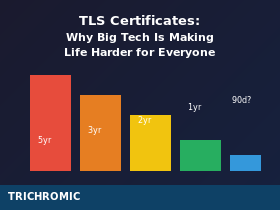
In March 2026, security teams disclosed a supply-chain compromise involving Trivy, the widely used open source security scanner. Attackers used compromised credentials to publish malicious Trivy artifacts and tamper with related release channels, turning a trusted security tool into a mechanism for stealing secrets from downstream environments. Public reporting later indicated that more than 1,000 SaaS environments were already dealing with the fallout, with investigators warning that the total could rise significantly.
The incident did not stop with Trivy. As the investigation developed, other projects were linked to the wider campaign, including LiteLLM, where malicious PyPI packages were published and later removed. In LiteLLM’s case, the project’s own incident update said the affected versions were limited to specific package releases, while official Docker-based deployments and source installs were not affected.
The bigger lesson is not just that one tool was compromised. It is that modern environments often depend on long chains of upstream software, build systems, package registries, automation, and release pipelines. When one trusted component is poisoned, the impact can spread quickly into customer environments that never realised they were exposed.
The supply-chain problem
Continue reading →
Published on Tuesday 24th March 2026

An Industry-Wide Problem With No Perfect Solution
If you’ve ever carefully designed an HTML email signature—complete with logos, formatted text, and proper spacing—only to see it fall apart when someone replies to your email, you’re not alone. This is one of the most frustrating and persistent problems in business email, and it affects virtually everyone who uses custom HTML signatures.
The bad news: there’s no complete fix. The good news: understanding why it happens can help you design signatures that degrade more gracefully, and set realistic expectations for what’s achievable.
What’s Actually Happening
When you send an email with an HTML signature, it looks perfect. But the moment the recipient hits Reply or Forward, their email client rewrites your carefully crafted HTML code to match its own internal standards. Continue reading →
Published on Saturday 14th March 2026

The Economics Behind the Software That Runs the World
Linux powers most of the internet. It runs the majority of web servers, the cloud infrastructure of Amazon, Google, and Microsoft, most smartphones (via Android), supercomputers, and an enormous amount of the world’s critical infrastructure. It’s also, fundamentally, free.
This raises an obvious question: how does any of this get paid for? Who funds the development of software that trillion-dollar companies depend on but don’t have to pay for?
The answer is complicated, and—depending on your perspective—either inspiring or deeply troubling.
Where It All Started
None of this would exist without Richard Stallman. In 1983, Stallman—then a programmer at MIT’s AI Lab—announced the GNU project, an ambitious attempt to create a completely free operating system. In 1985, he founded the Free Software Foundation to support it. Continue reading →
Published on Tuesday 10th March 2026

When Power Settings Aren’t Enough: The Modern Standby Problem
Summary: You’ve configured Windows power settings to prevent your PC from sleeping, but it keeps sleeping anyway. The culprit is likely Modern Standby (also called Connected Standby or S0 Low Power Idle)—a feature on newer hardware that completely bypasses traditional power settings.
The Problem
You’ve done everything right. You’ve gone into Power Options and set the PC to never sleep. You’ve run powercfg commands to disable sleep and hibernate. Maybe you’ve even deployed a script via Intune or Group Policy to enforce these settings across your organisation. Continue reading →
Published on Tuesday 3rd March 2026

Registry Fix for Error 0x800f0922 and Update Rollback Issues
Summary: If your Windows Server 2016 cumulative updates are failing to install—reaching 100% then rolling back with error 0x800f0922—this article explains the multiple causes and fixes. The issues are particularly common on servers that were upgraded from Windows Server 2012 R2, and on Remote Desktop Services (RDS) Session Host servers.
The Problem
Since late 2025, many Windows Server 2016 administrators have been experiencing a frustrating issue: cumulative security updates appear to install successfully, reaching 100%, but then roll back during the restart with the message:
“We couldn’t complete the updates. Undoing changes.”
The error code associated with this failure is typically 0x800f0922 (CBS_E_INSTALLERS_FAILED). This has affected multiple cumulative updates including KB5066836, KB5066136, KB5070882, KB5071543, KB5073722, and others. Continue reading →
Published on Friday 27th February 2026

Microsoft’s Aggressive Email Filtering Is Blocking Legitimate Business Emails
Summary: Since early 2026, Microsoft has significantly tightened email filtering for messages sent to Outlook.com, Hotmail.com, and Live.com addresses. Many legitimate business emails are being blocked or delayed—even when the sending server is correctly configured. If your customers or suppliers aren’t receiving your emails, this may be why.
What’s Happening?
Over the past few months, we’ve seen a significant increase in email delivery problems to Microsoft’s consumer email services—Outlook.com, Hotmail.com, Live.com, and MSN.com. Emails sent from business mail servers are being rejected or delayed, even when everything is configured correctly. Continue reading →
Published on Thursday 26th February 2026

Microsoft Update Bug Affecting Pound Signs, Accented Characters, and Symbols
Known Issue: A recent Microsoft Office update has introduced a bug where special characters (including the pound sterling symbol) are being replaced with question marks (?) in emails. Microsoft has acknowledged the issue and is investigating. This article explains who is affected and what you can do.
What’s Happening?
Following a recent Microsoft Office update, users of Classic Outlook on Windows are finding that special characters in their emails are being replaced with question marks (?). This is happening in sent emails, replies, forwards, drafts, and even email signatures. Continue reading →
Published on Tuesday 17th March 2026

Here at Trichromic we prefer not to use too many computer-related terms (Three Letter Acronyms (TLAs),etc) and unnecessary IT jargon when communicating with our clients’.
However, these can’t always be avoided (and some like to use them when they shouldn’t) so here you’ll find a categorised glossary of the most commonly used terms and abbreviations which could be useful to anyone talking to IT departments or even an outsourced IT managed service provider like Trichromic. We’ll keep expanding this list and adding descriptions when time permits so please keep visiting to view the latest updates.
You can contact us for more information on any of the descriptions below or even to find out how Trichromic can help improve the efficiency of your business processes by harnessing the latest technology. ~ Lloyd Reid
Systems, Standards and Common Terms
AD — Active Directory
AI — Artificial Intelligence
AGI — Artificial General Intelligence
ASCII — American Standard Code for Information Interchange
ANSI — American National Standards Institute
ARC — Authenticated Received Chain
ASN — Advanced Shipping Notice
ASR — Automatic Speech Recognition
AWS — Amazon Web Services
B2B — Business-to-Business
B2C — Business-to-Consumer
BOM — Bill Of Materials
BSD — Berkeley Software Distribution
BSI — British Standards Institution
BYOD — Bring Your Own Device
CAD — Computer-Aided Design
CAM — Cybersecurity Awareness Month Continue reading →
Published on Saturday 21st February 2026

And What You Can Do About It
The reality: 43% of UK businesses experienced a cyber attack in the past year. Of those, 85% involved phishing—attacks that target your staff, not your technology. According to the UK Government’s Cyber Security Breaches Survey 2025, 81% of all UK businesses that suffer a cyber attack are small and medium-sized businesses.
You’ve probably invested in antivirus software, firewalls, and perhaps even multi-factor authentication. But here’s the uncomfortable truth: none of that matters if one of your staff clicks on a convincing phishing email.
Cyber criminals know this. That’s why they don’t waste time trying to break through your technical defences—they simply trick your people into opening the door for them. Continue reading →
Published on Monday 16th February 2026

Is Windows 11 Dropping Support for Older Printers?
You may have seen headlines suggesting that Windows 11 is “dropping support for millions of printers”. That makes for good clickbait, but it is not the full story.
Microsoft is not suddenly making older printers unusable. What is changing is how legacy printer drivers are delivered and prioritised, particularly on Windows 11 and Windows Server 2025.
For most businesses, this will be a gradual change rather than an overnight problem. If your printer works today, it will usually keep working. The biggest impact is likely to be when you try to reinstall an older printer, deploy it to a new PC, or move to a newer print server.
Which Versions of Windows Are Affected?
These changes apply to:
- Windows 11
- Windows Server 2025
These changes do not apply to:
- Windows 10
- Windows Server 2016
- Windows Server 2019
- Windows Server 2022
If your environment is still based on Windows 10 or older Windows Server platforms, there is no immediate change to worry about from this policy.
What Is Actually Changing with Printer Driver Support?
Continue reading →