Published on Wednesday 24th July 2024
18th July 2024
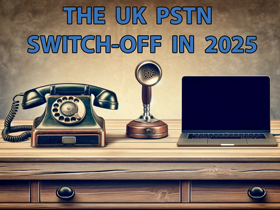
BT have recently confirmed that the switch-off of lines will now occur by January 31, 2027, rather than the original deadline of December 2025 – this includes the switch-off of Public Switched Telephone Network (PSTN) and Integrated Services Digital Network (ISDN). This delay is a significant development for customers, and we feel it is important that you understand what it means for your business.
At Trichromic we want to keep our customers informed about the latest developments in the UK’s full-fibre future. For those who are currently using analogue (PSTN) or ISDN lines for calls, alarms, fax machines, PDQ machines or, CCTV, these will need to be replaced with digital solutions at some point.
Why the Delay?
The delay is primarily due to the need to ensure a smoother transition for vulnerable customers and those with additional needs. The extra time allows for a more comprehensive approach to migrating these customers to digital landlines, ensuring they receive the necessary support and equipment to maintain their connectivity. Continue reading →
Published on Tuesday 28th May 2024
Following on from our recent post regarding the switch-off of PSTN (the very old UK system phone system that runs on copper wires), we thought it would be a good idea to debunk some of the scare stories regarding digital phone lines that are doing the rounds.
The PSTN switch-off should be happening in 2025. From then on, at home or at work, we’ll all be using digital phone services. Many businesses have already successfully made the move to digital – they’re already enjoying the many benefits of a new phone system.
At Trichromic we understand that not everyone is fully conversant how digital phone systems work and you may have heard rumours that the technology is not as robust as it should be. We’d like to debunk some of these myths. Here goes:
1. Calls over the internet aren’t as good as those made over a normal phone line
They’re better. Back in the early days of internet calls this observation may have been true. But the tech is no longer new – there have been huge improvements in network connectivity. It’s sophisticated, and delivers crystal clear audio with no more dropouts, tinny voices, echoes, or delays. Continue reading →
Published on Sunday 26th May 2024
There is a major change coming to phone systems across the UK in 2025 – we will all have to use digital phone services.
What is happening?
The UK’s phone network is being upgraded – every landline cable is switching to faster, more reliable and responsive Internet Protocol (IP) technology. To use the IP network, any systems connected to a Public Switched Telephone Network (PSTN) or Integrated Services Digital Network (ISDN) phone line will need to be moved to a IP-based service.
At Trichromic we understand that not everyone is aware of this change and what it means to them. So, over the next few weeks we will be giving you the facts about this change and what you need to do to maintain your business communication systems.
The world of telecoms is full of confusing acronyms, especially when it comes to line rental. PTSN, ISDN, SIP, VoIP – what do all these acronyms mean? And which one is right for your business?
Here are the main differences between the big three: PSTN, ISDN and SIP. Continue reading →
Published on Friday 19th April 2024

Here at Trichromic we prefer not to use too many computer-related terms (Three Letter Acronyms (TLAs),etc) and unnecessary IT jargon when communicating with our clients’.
However, these can’t always be avoided (and some like to use them when they shouldn’t) so here you’ll find a categorised glossary of the most commonly used terms and abbreviations which could be useful to anyone talking to IT departments or even an outsourced IT managed service provider like Trichromic. We’ll keep expanding this list and adding descriptions when time permits so please keep visiting to view the latest updates. You can contact us for more information on any of the descriptions below or even to find out how Trichromic can help improve the efficiency of your business processes by harnessing the latest technology. ~ Lloyd Reid
Systems, Standards and Common Terms
AD — Active Directory
AI — Artificial Intelligence
AGI — Artificial General Intelligence
ASCII — American Standard Code for Information Interchange
ANSI — American National Standards Institute
ASIC — Application-Specific Integrated Circuit
ASN — Advanced Shipping Notice
B2B — Business-to-Business
B2C — Business-to-Consumer
BOM — Bill Of Materials
BYOD — Bring Your Own Device
CAD — Computer-Aided Design Continue reading →
Published on Wednesday 29th November 2023

Merry Christmas from all of us at Trichromic! We would like to take the opportunity to thank you for your business in 2023 and we wish you a very Happy New Year.
Our telephone help desk will be closed from 17:30 on Friday the 22nd December and will re-open at 09:00 on Tuesday the 2nd of January 2024.
When open, our help desk can be contacted on 020-3327-0310 (option 1).
Those companies with a fully managed service contract should email or leave a voicemail on our help desk during the holiday season and we’ll respond as soon as possible.
The Trichromic Sapphire Cloud services (CloudDESKTOP, CloudEXCHANGE, etc) will be continually operating and monitored during the break and we have no current plans for any periods of scheduled maintenance.
Published on Tuesday 25th April 2023
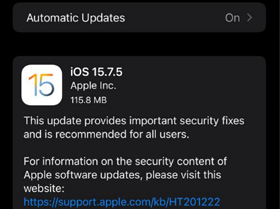
Apple has recently released an update for older devices (iOS 15.7.4) with a number security patches. Now, it is rolling out another update (iOS 15.7.5 & iPadOS 15.7.5) iPhone and iPad devices. These updates address two vulnerabilities that may have been actively exploited.
The official release notes don’t mention any new features beyond the security enhancements. Apple simply says that iOS 15.7.5 provides important security fixes and is recommended for all users. Continue reading →
Published on Thursday 30th March 2023
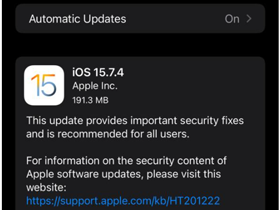
Earlier this week, Apple backported fixes for a security flaw to older iPhone and iPad models. The issue concerns a type confusion bug in the WebKit browser engine that could lead to arbitrary code execution.
This issue was originally addressed by Apple with updates released on 13th February 2023, after an anonymous researcher reported the bug. Apple issued a statement confirming it was aware of a report that the flaw may have been actively exploited.
The exact nature of the issue isn’t currently known, but Apple’s usual procedure of withholding technical specifics has been deployed as it helps prevent further targeting susceptible devices.
The update is available in versions iOS 15.7.4 and iPadOS 15.7.4 for iPhone 6s (all models), iPhone 7 (all models), iPhone SE (1st generation), iPad Air 2, iPad mini (4th generation), and iPod touch (7th generation). Continue reading →
Published on Friday 1st December 2023
Earlier this week, Apple backported fixes for a security flaw to older iPhone and iPad models. The issue concerns a type confusion bug in the WebKit browser engine that could lead to arbitrary code execution.
This issue was originally addressed by Apple with updates released on 13th February 2023, after an anonymous researcher reported the bug. Apple issued a statement confirming it was aware of a report that the flaw may have been actively exploited.
The exact nature of the issue isn’t currently known, but Apple’s usual procedure of withholding technical specifics has been deployed as it helps prevent further targeting susceptible devices.
The update is available in versions iOS 15.7.4 and iPadOS 15.7.4 for iPhone 6s (all models), iPhone 7 (all models), iPhone SE (1st generation), iPad Air 2, iPad mini (4th generation), and iPod touch (7th generation). Continue reading →
Published on Tuesday 21st March 2023
A recent security breach at password management service LastPass was the result of one of its engineers failing to update a movie streaming app on their home computer. Thus is a sobering reminder of the dangers of failing to keep software up to date and business and personal software separate.
It appears unknown hackers leveraged information stolen from an incident that took place in August last year and a second attack between August and October 2022.
The attack enabled the hacker to steal partially encrypted password vault data and customer information. The second attack specifically singled out one of the DevOps engineers, targeting their home computer with a keylogger malware to obtain the credentials and breach the company’s cloud storage. Continue reading →
Published on Tuesday 7th February 2023

Personal and financial information, including names, billing and delivery addresses, phone numbers, order details and the final four digits of payment cards of approximately 10 million customers of Fashion retailer JD Sports were potentially accessed by hackers in a cyber-attack.
This data is related to some online orders placed between November 2018 and October 2020.
The affected JD Sports group brands are JD, Millets, Blacks, Scott’s, and Millet Sport. If exploited, this information could be used by cybercriminals to attempt phishing attacks, which could lead to financial loss or even identity theft. Continue reading →