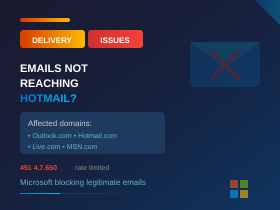
Microsoft’s Aggressive Email Filtering Is Blocking Legitimate Business Emails
Summary: Since early 2026, Microsoft has significantly tightened email filtering for messages sent to Outlook.com, Hotmail.com, and Live.com addresses. Many legitimate business emails are being blocked or delayed—even when the sending server is correctly configured. If your customers or suppliers aren’t receiving your emails, this may be why.
What’s Happening?
Over the past few months, we’ve seen a significant increase in email delivery problems to Microsoft’s consumer email services—Outlook.com, Hotmail.com, Live.com, and MSN.com. Emails sent from business mail servers are being rejected or delayed, even when everything is configured correctly.
The error message typically looks like this:
451 4.7.650 The mail server [your IP address] has been temporarily rate limited due to IP reputation.
In theory, this is a temporary delay while Microsoft checks the sender’s reputation. In practice, many legitimate emails simply never arrive—or arrive hours or even days late.
Background: Microsoft’s New Authentication Requirements
In May 2025, Microsoft introduced stricter email authentication requirements for high-volume senders (those sending more than 5,000 emails per day to Microsoft consumer addresses). This brought Microsoft in line with similar changes Google and Yahoo made in 2024.
The requirements are:
SPF (Sender Policy Framework): DNS records must specify which servers are authorised to send email for your domain
DKIM (DomainKeys Identified Mail): Emails must be digitally signed to prove they haven’t been tampered with
DMARC (Domain-based Message Authentication): A policy that tells receiving servers what to do if SPF or DKIM checks fail
Reverse DNS (PTR record): The sending IP address must have a valid PTR record that resolves to a hostname, and that hostname must resolve back to the same IP address (this is called Forward-Confirmed Reverse DNS). Your hosting provider or ISP typically manages this.
These requirements make sense—they help prevent spoofing and phishing. Most well-configured business email systems already meet them. The problem is what’s happening beyond these requirements.
The Problem: Correctly Configured Servers Being Blocked
We’ve been dealing with this issue directly since January 2026, and we’re not alone. Reports from businesses, IT providers, universities, healthcare organisations, and even public libraries show the same pattern:
- SPF, DKIM, and DMARC are all correctly configured
- The sending IP address isn’t on any public blacklists
- Microsoft’s own tools (SNDS, the delist portal) show no problems
- Spam complaint rates are well below industry thresholds
- Yet Microsoft’s servers still reject the emails with “IP reputation” errors
We’ve submitted logs and IP addresses to Microsoft support, only to be told that our servers are not blocked and there are no issues detected. Meanwhile, the bounce messages keep coming.
From the Microsoft Q&A forums (February 2026): “The Microsoft Anti-Spam IP Delist Portal indicates that our IPs are neither listed nor blocked; however, Outlook continues to return 451 4.7.650 reputation-based rate limiting errors… there may have been a recent change in Outlook’s filtering or reputation system.”
Who’s Affected?
This issue primarily affects emails sent to Microsoft’s consumer email services:
- Outlook.com
- Hotmail.com (and regional variants like Hotmail.co.uk)
- Live.com
- MSN.com
If you’re sending from your own mail server (rather than through Microsoft 365), and your customers or contacts use personal Microsoft email addresses, your messages may be getting blocked or delayed without you knowing.
The frustrating part is that emails to the same people’s work addresses (on Microsoft 365 business tenants) often go through fine. It’s specifically the consumer email services that are aggressive with filtering.
What You Can Do
1. Check Your Email Authentication
First, make sure your domain has SPF, DKIM, and DMARC correctly configured. Use a tool like MXToolbox (mxtoolbox.com) to check your records. If you’re using Microsoft 365 to send email, these should already be in place, but it’s worth verifying.
2. Check Your IP Reputation
If you run your own mail server, check whether your sending IP is on any blacklists. MXToolbox has a blacklist checker that queries multiple lists at once. Also check Microsoft’s Smart Network Data Services (SNDS) at sendersupport.olc.protection.outlook.com/snds/ to see how Microsoft views your IP.
3. Submit a Delisting Request
If you’re being blocked, submit a request through Microsoft’s sender support portal at sender.office.com. Be prepared to provide your sending IP addresses and example bounce messages. Note that responses can be slow, and you may need to escalate if the initial response doesn’t resolve the issue.
4. Consider Your Sending Infrastructure
If you’re running your own mail server on a smaller IP range—particularly on shared hosting or a VPS—you may be suffering from “neighbourhood” reputation problems. Other users on nearby IP addresses may have damaged the reputation of the entire range. Options include:
- Sending through Microsoft 365 (mail sent from Microsoft’s own infrastructure is less likely to be blocked by Microsoft)
- Using a reputable third-party email delivery service
- Requesting a dedicated IP address from your hosting provider
5. Check Your Reverse DNS (PTR Record)
Your sending IP address needs a valid reverse DNS (PTR) record. This confirms that your IP resolves to a legitimate hostname. Many mail servers—including Microsoft’s—will reject or delay email from IPs without proper reverse DNS. You can check this using MXToolbox’s reverse lookup tool. If your PTR record is missing or incorrect, you’ll need to contact your hosting provider or ISP to have it configured.
6. Advise Customers to Check Junk Folders
If you suspect emails aren’t getting through, let your customers know to check their junk/spam folders and mark your messages as “not junk.” This trains Microsoft’s filters that your emails are wanted. Having recipients add your email address to their contacts can also help.
The Bigger Picture
Microsoft’s aggressive filtering is part of a broader industry push to combat spam, phishing, and email spoofing. Google and Yahoo made similar changes in 2024, and Microsoft followed in 2025. The intentions are good—nobody wants more spam in their inbox.
However, the current implementation appears to be catching significant amounts of legitimate business email in the crossfire. The disconnect between what Microsoft’s tools report (“no problems detected”) and what’s actually happening (emails being blocked) makes troubleshooting extremely difficult.
We’re hopeful that Microsoft will refine their filtering systems to better distinguish between genuine spam and legitimate business communications. In the meantime, if you’re having email delivery problems to Hotmail or Outlook addresses, know that you’re not alone—and it may not be anything you’ve done wrong.
How We Can Help
If you’re experiencing email delivery issues to Microsoft consumer domains, we can help diagnose the problem. We’ll check your SPF, DKIM, and DMARC configuration, verify your sending IP reputation, and advise on the best course of action for your situation.
For businesses sending critical emails (invoices, order confirmations, appointment reminders), we can also discuss more reliable sending options that reduce the risk of delivery problems.
Concerned about email delivery?
Get in touch and we’ll help you investigate.
Give our friendly experts a call on 020 3327 0310.
Last updated: February 2026