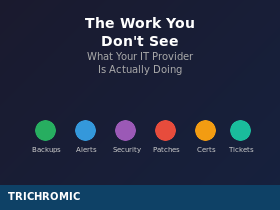
When nothing is broken, it is easy to wonder what you are paying for. Here is what happens behind the scenes to keep it that way.
If your IT is working properly, you probably do not think about it very much. Email works. Files are where they should be. You can log in. The internet is fast enough. Everything just works.
And when that is the case, it is natural to wonder what your IT provider is actually doing. You are paying a monthly fee, but there are no engineers on site, no major incidents, and no obvious signs of activity.
That is the point.
The purpose of managed IT is to stop you having to think about IT at all. But “nothing happening” on your side usually means a great deal is happening on ours. Here is what a typical month really looks like behind the scenes.
Every morning
Our day starts by checking what happened overnight.
Backup reports. Most client backups run overnight, so every morning we check that they completed successfully. Did the job finish? Were there warnings or failures? A backup that fails silently is often worse than no backup at all, because you only discover the problem when you need to restore data, and by then it is too late.
Monitoring alerts. Our systems monitor your servers, private cloud platforms, workstations, network equipment, and security systems around the clock. If something goes wrong at 3am, we know about it. Every morning we review what came in overnight. Most alerts are minor, but buried among them might be something that needs action: a disk running out of space, a failed drive in a RAID array, a certificate close to expiry, or a service that stopped unexpectedly. Left unnoticed, any one of those could turn into an outage.
RMM tickets. Our remote monitoring and management tools generate tickets automatically when they detect issues. Those tickets still need to be reviewed and prioritised. What is urgent? What can wait? What is just noise? It is not glamorous work, but it is one of the ways problems get caught early rather than after users are already affected.
All day, every day
Once the morning checks are done, the background work continues.
Security monitoring. SIEM platforms, firewalls, and other security tools generate a constant stream of events. Firewall alerts are not rare events; they are constant. The job is not simply to notice that someone tried something, but to identify the attempts that matter, investigate them properly, and act before they become an incident.
Responding to tickets. This is the visible part of IT support, but even that is often more involved than it appears. A simple “Outlook isn’t working” ticket might mean checking server health, reviewing recent changes, tracing mail flow, and testing from several angles before the real cause becomes clear.
Microsoft 365 and Active Directory administration. New starters need accounts, licences, and permissions. Leavers’ accounts need to be disabled promptly. Distribution lists need updating. Shared mailbox access needs changing. Multi-factor authentication needs to be enforced consistently. We also review inactive accounts, because clients are not always told immediately when someone leaves.
Patch management. Updates are usually deployed at weekends, with restarts scheduled for the early hours of Sunday morning. After that, systems still need to be checked before staff log in on Monday. The goal is simple: catch update-related issues before they affect the working week. On Remote Desktop servers, that means extra care, because one bad update can disrupt multiple users at once.
What we manage — and what we sometimes exclude
Our preference is always to provide a fully managed service, because that is where managed IT works best. When the servers, security, backups, Microsoft 365, network, and end-user devices are all covered under one support model, responsibilities are clear and problems are easier to prevent.
In practice, though, not every client environment is the same. Sometimes parts of the estate sit outside full management, usually for commercial or operational reasons. The most common example is desktop PCs.
Where PCs are excluded from full support, we still insist on minimum standards. At a minimum, those devices must have our managed anti-malware and our RMM agent installed, so they remain visible, monitored, and protected. Without that visibility, risk increases quickly.
For many clients, this works perfectly well because the PCs are really just access devices — effectively thin clients used to connect to a Remote Desktop server or private cloud platform where the core systems and data are centrally managed. In other environments, some users work this way while others still access on-premise file servers from local PCs over VPN.
That kind of mixed estate is common, but it only works properly when the boundaries are clear, the monitoring is in place, and everyone understands where responsibility begins and ends.
Monthly routines
Some tasks happen on a regular cycle, usually without the client ever noticing.
Backup restore tests. A backup is only useful if it can actually be restored. That is why we test restores regularly, whether that means individual files, folders, or larger systems. It is far better to discover a configuration problem during a test than during a real emergency.
Microsoft 365 reporting. Monthly reports help clients see licence usage, storage consumption, and service health. That is useful for transparency, but it also helps spot trends early and avoid paying for licences that are no longer needed.
Licence management. Keeping licence numbers accurate is an ongoing task. Too few licences causes disruption. Too many wastes money. Tracking usage, renewals, and changes over time is part of keeping the environment efficient and predictable.
Security reviews. Security is not something you set up once and forget. MFA policies need reviewing. Conditional access rules need checking. New vulnerabilities need assessing. Controls that were appropriate six months ago may need to change today.
The never-ending admin
A large part of managed IT is administrative work that most people never see.
Certificate renewals. TLS certificates expire. Someone has to track those dates, renew them, complete any validation, install the replacement certificates, and test everything afterwards. Miss one, and users or customers start seeing alarming security warnings.
Domain renewals. Domains expire too. If a domain lapses, email, websites, and other core services can be affected. Renewal management sounds simple until it is missed.
Warranty and contract tracking. Hardware warranties, support contracts, software subscriptions, and vendor agreements all have renewal dates. Keeping on top of them prevents unpleasant surprises and unnecessary downtime.
Vendor management. When something goes wrong, somebody has to deal with software vendors, internet providers, hosting companies, and hardware suppliers. That means raising tickets, chasing responses, escalating when needed, and spending time on hold so your team does not have to.
Documentation. Good documentation is invisible until the moment it matters. When there is a problem late at night, we need to know how a system is configured, what depends on it, and how it should be recovered. Out-of-date documentation slows recovery. Good documentation speeds it up.
BitLocker key management. We also make sure recovery keys are refreshed and stored securely. It sounds like a small detail until a laptop suddenly demands a 48-digit recovery key on a Monday morning. When that happens, having the right key immediately can save a great deal of time and stress.
Why this matters
All of this work exists for one reason: so that when something does go wrong, the impact is smaller and the recovery is faster.
One day, someone will need a file restored from backup. If restores have never been tested, that is the day you discover the backup was incomplete, corrupted, or misconfigured.
One day, an employee will click a phishing link. MFA helps, but it is not enough on its own. Attackers are constantly looking for ways to steal sessions, abuse legitimate access, or exploit weak points elsewhere in the environment. That is why monitoring matters just as much as prevention.
One day, a critical server will fail. If it has not been monitored, if its documentation is out of date, or if support contracts have lapsed, recovery takes far longer than it should.
The work you do not see is the work that prevents disasters, or at least makes them manageable.
The alternative
Some providers still work on a break-fix basis: they step in when something breaks and charge for the time taken to repair it.
That model may look cheaper at first, but it usually means problems are detected later, resolved more slowly, and allowed to become more serious than they needed to be. A failing backup becomes a failed recovery. A full disk becomes a crashed server. A missed patch becomes a security incident.
A managed service provider works differently. The goal is not to profit from problems. The goal is to prevent them wherever possible, and to be ready when prevention is not enough.
What you are actually paying for
When you pay for managed IT, you are not paying for visible activity. You are paying for vigilance.
You are paying for someone to check backups every morning. To review security alerts. To track renewals. To test restores. To maintain documentation. To apply patches. To manage licences. To keep on top of the hundreds of small tasks that keep systems stable, secure, and recoverable.
You are also paying for continuity. When something does go wrong, you are not calling someone who has to start from scratch. You are calling a team that already knows your systems, has been maintaining them, and understands how they fit together.
That is what “managed” really means. Not waiting for things to break. Working continuously to stop them breaking in the first place, and being ready when they do.
How Trichromic can help
At Trichromic, we have been supporting UK businesses since 2006 as both an MSP and private cloud provider. We know what it takes to keep systems running reliably, securely, and with as little disruption as possible.
If you are wondering whether your current provider is doing this work, or you are trying to manage it internally and finding it difficult to stay on top of everything, we should talk.
Give us a call on 020 3327 0310
We will tell you what we see, what we would recommend, and what it would cost. No pressure, no jargon, just a straightforward conversation about what your IT actually needs.




