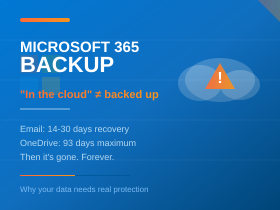
Why “It’s in the Cloud” Isn’t a Backup Strategy
“Don’t worry, it’s all in the cloud.”
We hear this constantly from business owners when we ask about their backup strategy for Microsoft 365. It’s one of the most dangerous assumptions in modern IT—and it’s costing businesses thousands of pounds in lost data, productivity, and recovery costs.
The truth is that Microsoft 365 is a platform, not a backup service. While Microsoft does an excellent job of keeping the platform running and protecting against infrastructure failures, they’re very clear about one thing: your data is your responsibility.
Understanding the Shared Responsibility Model
Microsoft operates under what they call the “Shared Responsibility Model”. In simple terms, this means Microsoft is responsible for keeping the platform available and secure, while you are responsible for your data.
Microsoft’s responsibility:
- Physical infrastructure and data centre security
- Platform uptime and availability
- Replication for disaster recovery of their systems
- Protection against hardware failure
Your responsibility:
- Protecting data from accidental deletion
- Protecting data from malicious deletion (including ransomware)
- Recovering data after account compromise
- Long-term data retention beyond Microsoft’s limits
- Meeting regulatory and compliance requirements
The Reality: Microsoft’s Retention Limits
Many business owners assume that deleted data can be recovered indefinitely. Here’s what Microsoft actually provides:
Email (Exchange Online)
- Deleted items folder: Items stay here until emptied by the user
- Recoverable Items folder: 14 days by default (can be extended to 30 days by an administrator)
- After that: Permanently gone
OneDrive and SharePoint
- First-stage recycle bin: 93 days
- Second-stage recycle bin: Remainder of 93 days total
- After 93 days: Permanently gone
Teams
- Deleted messages: 30 days
- Files in Teams: Follow SharePoint/OneDrive rules
- Deleted teams: 30 days to restore
Deleted User Accounts
- Mailbox recoverable for 30 days after account deletion, then permanently deleted
Real Scenarios Where Native Retention Fails
Understanding the limits is one thing. Seeing how they play out in practice is another.
The Departed Employee
An employee leaves your company. IT deletes their account to free up the licence. Six weeks later, a client asks about an important email exchange with that employee. The mailbox is gone—permanently. Without a backup, that data is unrecoverable.
The Accidental Mass Delete
An employee accidentally deletes a folder containing three years of project files from SharePoint. They don’t notice for four months. By the time they do, the 93-day retention window has long passed. The files are gone.
The Ransomware Attack
A user clicks a malicious link. Ransomware encrypts files in their OneDrive, which syncs to the cloud. The encrypted versions overwrite the good ones. Yes, OneDrive has version history—but ransomware often cycles through enough changes to exhaust the version limit. Your “backup” is now encrypted too.
The Malicious Insider
A disgruntled employee, knowing they’re about to be let go, systematically deletes emails and files. They empty the recycle bins. By the time you discover the damage, the retention windows have expired.
The Compliance Request
Your industry regulator asks for email records from two years ago as part of an audit. Microsoft’s standard retention doesn’t go back that far. Without proper archiving or backup, you can’t comply—and face potential penalties.
It Happens to the Best of Them
If you think data loss only happens to small businesses without proper IT, consider this: in 2021, KPMG—one of the world’s largest professional services firms—accidentally and irretrievably deleted the Microsoft Teams chats of 145,000 employees. If it can happen to KPMG, it can happen to anyone.
What Proper Microsoft 365 Backup Looks Like
A proper backup solution for Microsoft 365 should provide protection that goes far beyond what Microsoft offers natively. Here’s what to look for:
Comprehensive Coverage
Your backup should cover everything: Exchange mailboxes (including In-Place Archive mailboxes), OneDrive for Business, SharePoint document libraries, Microsoft Teams (including chats), Planner, and OneNote. If it’s not all covered, you have gaps.
Automatic, Frequent Backups
Backups should happen automatically, multiple times per day, without any manual intervention. You shouldn’t have to remember to back up—it should just happen.
Independent Storage
Backups must be stored independently of Microsoft’s infrastructure. If your backup lives inside Microsoft 365, it’s vulnerable to the same threats as your primary data. A ransomware attack or account compromise could take out both.
Unlimited Retention
Good backup solutions offer unlimited storage and retention. Your data should be available for as long as you need it—whether that’s for compliance, legal hold, or simply peace of mind.
Granular Recovery
You should be able to restore a single email, a specific file version, or an entire mailbox—whatever the situation requires. Point-in-time recovery lets you go back to exactly when you need.
Immutable Backups
Backup data should be immutable—meaning it cannot be altered or deleted by external parties, including ransomware. This is increasingly a requirement for cyber insurance policies.
Easy Search and Browse
When you need to find something, you shouldn’t have to restore entire mailboxes to search them. Good backup solutions let you search and browse backup data directly, then restore only what you need.
The Cyber Insurance Connection
If you have cyber insurance, check your policy requirements carefully. Many insurers now require evidence of proper backup procedures—including tested restores and off-site or isolated storage. “It’s in the cloud” won’t satisfy an insurance assessor.
Claims are being denied because businesses couldn’t prove their backups were adequate. A proper Microsoft 365 backup solution gives you the documentation and audit trails insurers want to see.
Our Approach to Microsoft 365 Protection
We take Microsoft 365 protection seriously. The solution we use for our clients includes automatic backups multiple times per day covering mailboxes, Teams, OneDrive, SharePoint, Planner, and OneNote. Data is stored on independent infrastructure with regional data centres, completely separate from Microsoft. Unlimited storage means you never have to worry about retention limits. Granular recovery options let us restore anything from a single email to an entire mailbox. The four-eyes approval process adds security against both accidental and malicious deletion. And full audit trails provide the documentation needed for compliance and insurance purposes.
But backup is only part of the picture. We combine it with advanced email security—including AI-powered threat protection, sandboxing for suspicious attachments, URL rewriting to catch malicious links, and protection against business email compromise and CEO fraud. Email archiving ensures you can meet compliance requirements with legally-compliant, searchable archives. And email continuity means that even if Microsoft has an outage, your team can continue sending and receiving emails.
Time to Take Action
If your current Microsoft 365 backup strategy is “it’s in the cloud”, you’re taking a significant risk with your business data. The question isn’t whether you’ll experience data loss—it’s when, and whether you’ll be able to recover.
Ask yourself:
- If an employee deleted all their emails today, could you recover them in six months?
- If ransomware encrypted your OneDrive files, how quickly could you restore them?
- If you had to produce two-year-old emails for a legal matter, could you?
- Does your cyber insurance require backup evidence you can’t currently provide?
If any of these questions give you pause, it’s time to talk about proper Microsoft 365 backup.
Want to understand your Microsoft 365 backup options?
Get in touch for a no-obligation chat about protecting your business data.
Give our friendly experts a call on 020 3327 0310.