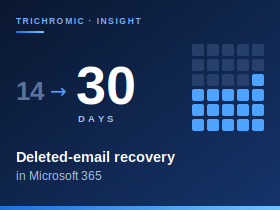
For most small businesses, email holds far more than correspondence: customer requests, quotations, approvals and supplier conversations that staff need to refer back to. When someone permanently deletes the wrong message, Exchange Online gives you a window to recover it. By default that window is 14 days, but administrators can extend it to 30.
Deleted doesn’t mean gone
Deleting a message normally just moves it to Deleted Items, where it stays until it is removed by the user or an automatic policy. The recovery countdown starts only when a message moves into a hidden area called Recoverable Items. That happens when a user empties Deleted Items, deletes a message from it, or uses Shift+Delete. Messages then stay in Recoverable Items for 14 days by default. Because the countdown starts at that point rather than when the message was received, years-old email removed yesterday is still recoverable today.
During that period, users can retrieve messages themselves using Recover Deleted Items in Outlook or Outlook on the web. If a user also purges a message from there, Single Item Recovery keeps a copy that an administrator can restore within the same window. Single Item Recovery is enabled by default for new Exchange Online mailboxes, but it can be switched off, so it is worth confirming it is on.
Extending the window to 30 days
Deletions are not always noticed straight away. Someone tidying their mailbox may remove something important and only realise weeks later, when a customer or supplier refers back to it. Extending the retention period from 14 to 30 days more than doubles the time available to spot the problem and recover the message, at no extra cost. Recoverable Items has its own storage quota, and in some circumstances items can be removed sooner, so treat 30 days as the configured period rather than an absolute guarantee.
The setting is changed through Exchange Online PowerShell. This command applies 30 days to all existing user and shared mailboxes and makes sure Single Item Recovery is enabled:
Get-Mailbox -ResultSize Unlimited -RecipientTypeDetails UserMailbox,SharedMailbox |
    Set-Mailbox -RetainDeletedItemsFor 30 -SingleItemRecoveryEnabled $true
That command only affects mailboxes that already exist. New licensed mailboxes take their settings from the tenant’s mailbox plans, and most tenants have several, one for each licence type. Licence changes can also reapply a plan to an existing mailbox. To make 30 days the default, update every plan:
Get-MailboxPlan | Set-MailboxPlan -RetainDeletedItemsFor 30New shared mailboxes should also be checked as part of your usual setup routine. Increasing the retention period cannot bring back messages that Exchange has already permanently removed.
What this setting doesn’t do
Extending deleted-item retention does not turn Microsoft 365 into a 30-day backup service. It controls only how long permanently deleted items stay recoverable within Exchange. It is also separate from Microsoft Purview retention policies and older Messaging Records Management tags, which serve information-governance purposes. The terminology overlaps, but these features are not interchangeable.
Microsoft 365 has other recovery routes too. A deleted user’s mailbox can normally be restored for 30 days. Messages deleted by an attacker may still be recoverable through Single Item Recovery, provided it is enabled and the retention period has not expired. Retention policies or holds, if configured in advance, can preserve content for years. Each of these has limits, however: recovery depends on which protections were in place and whether the content is still retained. We cover those gaps, and how independent backup closes them, in our article on Microsoft 365 backup.
Our view
As a managed cloud provider supporting regulated professional services firms, we think 30 days should be the standard setting in every Exchange Online tenant, alongside a check that Single Item Recovery is enabled. It costs nothing, takes minutes to apply, and gives staff a far more realistic window to spot a mistake. It should, however, be seen as a first line of defence rather than a backup strategy. If you are not sure how long your business can recover a deleted email, call Trichromic on 020 3327 0310 and we will check your configuration for you.




