Updated: 18 August 2026 (before you get too excited, we have now confirmed this solution does NOT fix CCH).
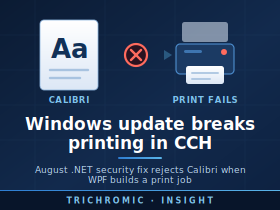
A Microsoft .NET security update released on 11 August 2026 is causing printing failures in some Windows 11 and Windows Server business applications that use Windows Presentation Foundation (WPF) and the XPS printing system.
We have encountered the problem with Wolters Kluwer CCH, but the underlying issue is not specific to CCH. Reports from other organisations show the same problem affecting .NET Framework applications, Crystal Reports-based applications and other software that uses WPF font subsetting when printing. Microsoft is currently investigating the regression.
What Are the Symptoms?
Affected applications may suddenly stop printing after the August 2026 Windows/.NET updates have been installed.
An error may refer to a Windows font such as Calibri and report that the font:
does not conform to the expected file format specification
The fonts themselves are not necessarily corrupt. Testing has shown that Windows can still load and display them normally. The failure occurs specifically when WPF attempts to create a subset of the font for XPS or printing.
Fonts reported as affected include:
- Calibri
- Cambria
- Constantia
- Corbel
Other fonts, including Arial, Segoe UI and Times New Roman, have continued to work in testing. Some older third-party fonts may also be affected.
Which Windows Updates Are Involved?
The problem was introduced by the August 2026 .NET security updates. The exact KB number depends on the version of Windows.
Examples include:
- Windows 11 25H2 — KB5120708
- Windows Server 2025 / Microsoft Server OS 24H2 — KB5120708
- Windows Server 2022 — KB5120705
- Windows Server 2016 — corresponding August .NET security update
Microsoft confirms that these updates were released on 11 August 2026 and contain .NET Framework security and reliability fixes. Users have specifically confirmed the printing regression with KB5120705 on Windows Server 2022 and KB5120708 on other affected platforms.
Why Did Microsoft Make This Change?
The update addresses a genuine security vulnerability, CVE-2026-62871, in Windows Presentation Foundation.
Microsoft rates the vulnerability High, with a CVSS score of 7.8. It is an out-of-bounds write vulnerability in .NET/WPF that could allow an attacker to execute code locally when specially crafted font data is processed.
The vulnerable component is WPF’s TrueType font-subsetting code. A specially constructed font can manipulate internal values in a way that causes memory to be written outside its intended buffer.
Microsoft therefore added additional validation and overflow protection to this part of WPF.
Unfortunately, that tighter validation appears to reject some legitimate fonts when applications attempt to subset them for printing. Microsoft has confirmed that the issue has been isolated to the WPF TrueType font-subsetting path and is still investigating the final root cause.
Why Simply Uninstalling the Update Is Not Ideal
Removing the offending update has been reported to restore printing immediately.
However, doing so also removes the security protection introduced for CVE-2026-62871.
For a business server, particularly a Remote Desktop Server where users may open documents, attachments or downloaded files, permanently removing a security update is therefore not an attractive solution.
Microsoft also states that uninstalling the security update should not be regarded as the preferred or long-term workaround.
A More Targeted Workaround for .NET Framework Applications
.NET Framework applications can have an application-specific configuration file located alongside the application’s executable.
For example:
CCHApplication.exe
CCHApplication.exe.config
.NET Framework supports application-level compatibility switches using the <AppContextSwitchOverrides> element. These settings apply to the application rather than changing .NET behaviour for every program on the server.
The WPF security change is controlled by the following switch:
Switch.MS.Internal.TtfDelta.DisableCmapAndSbitOverflowProtection
The new security protection is enabled by default. Setting this switch to true disables that protection and restores the previous WPF font-subsetting behaviour.
A configuration file can therefore contain:
<configuration>
<runtime>
<AppContextSwitchOverrides
value="Switch.MS.Internal.TtfDelta.DisableCmapAndSbitOverflowProtection=true" />
</runtime>
</configuration>
If the application already has a .config file, do not replace it. The additional setting should instead be added to the existing <runtime> section.
If an AppContextSwitchOverrides entry already exists, multiple switches can be separated with semicolons. Microsoft documents this configuration mechanism for .NET Framework applications.
Why This May Be Better Than Removing the Windows Update
The advantage is scope.
Rather than uninstalling the security update from the entire Windows server, the compatibility setting can potentially be applied only to the executable responsible for CCH or another affected application’s printing.
Other applications on the server can therefore continue to use Microsoft’s new WPF protection.
However, there is an important security implication.
Setting this switch to true deliberately disables the protection for CVE-2026-62871 inside that application process. The vulnerability is therefore potentially reachable again by that application.
This should consequently be regarded as a temporary compatibility workaround, not a permanent configuration change.
Finding the Correct EXE Is Important
Some applications use several executable files.
The program the user initially launches may not be the process that actually creates or prints the report. The .config setting needs to apply to the executable which is using WPF’s affected font-subsetting code.
IT administrators should therefore identify the process responsible for printing before applying the workaround.
It is also sensible to back up the existing .config file before changing it.
Other Possible Workarounds
Microsoft’s current guidance includes several other temporary options.
Changing affected reports or templates from Calibri to a font such as Arial or Segoe UI may restore printing while leaving the security fix enabled. This is often impractical for established business applications containing hundreds of reports or customised forms.
Software developers who directly control the XPS serialization process can also disable font subsetting altogether, although Microsoft notes that doing so can substantially increase document size, memory consumption and processing time.
What Should SMEs Do?
Businesses experiencing printing failures immediately after the August 2026 Windows updates should avoid assuming that the printer, print driver or print server is at fault.
If the affected application is based on .NET Framework/WPF and errors mention fonts such as Calibri, the August WPF font-subsetting regression should be investigated.
Where possible:
- Keep the August security update installed.
- Confirm that the problem is caused by WPF font subsetting.
- Ask the application’s software supplier for an official workaround.
- Consider a per-application .config workaround rather than removing the security update from the entire server.
- Understand that enabling the compatibility switch disables the CVE-2026-62871 protection for that application.
- Remove the workaround when Microsoft releases a corrected update.
As of 17 August 2026, Microsoft says it is actively investigating the issue and has not yet announced a permanent resolution.
For organisations relying on applications such as Wolters Kluwer CCH, this is a good example of why Windows and .NET security updates should be monitored closely: security patches remain essential, but occasionally a change designed to close a genuine vulnerability can have unexpected consequences for established line-of-business software.




