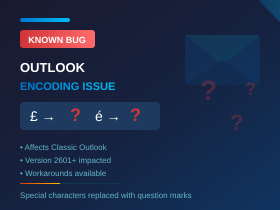
Microsoft Update Bug Affecting Pound Signs, Accented Characters, and Symbols
Known Issue: A recent Microsoft Office update has introduced a bug where special characters (including the pound sterling symbol) are being replaced with question marks (?) in emails. Microsoft has acknowledged the issue and is investigating. This article explains who is affected and what you can do.
What’s Happening?
Following a recent Microsoft Office update, users of Classic Outlook on Windows are finding that special characters in their emails are being replaced with question marks (?). This is happening in sent emails, replies, forwards, drafts, and even email signatures.
Characters affected include: pound sterling (£), registered trademark (®), accented characters (é, ü, ñ, ö), umlauts, and other non-ASCII symbols.
The problem is particularly noticeable in the UK where the pound symbol is commonly used. Recipients—including external contacts—see a ? where the special character should appear.
Who Is Affected?
| Affected | Not Affected |
| Classic (legacy) Outlook on Windows – Version 2601 (Build 19628.20150 and later) | New Outlook for Windows |
| Microsoft 365 Apps for Enterprise/Business | Outlook on the Web (OWA) |
| Outlook for Mac | |
| Outlook mobile apps |
To check your Outlook version: Open Outlook, go to File > Office Account > About Outlook. Look for the version and build number.
Why Is This Happening?
The Microsoft Office update changed how Classic Outlook handles character encoding. Instead of using UTF-8 (the modern standard that supports all characters), Outlook is falling back to an older encoding called Western European ISO-8859-1.
This older encoding has a limited character set and cannot represent characters like the pound symbol (£). When it encounters a character it cannot handle, it substitutes a question mark.
Technical note: UTF-8 is the modern standard for character encoding, used by 93% of websites and recommended by the Internet Mail Consortium for email. Switching to UTF-8 is safe and should not cause compatibility issues with recipients.
Workarounds
Microsoft has acknowledged the bug and is working on a fix (expected around March 2026). In the meantime, there are several workarounds available.
Option 1: Roll Back to a Previous Version
Microsoft has suggested reverting to an earlier version of Office that doesn’t have the bug. This requires running a command as Administrator:
"%programfiles%\Common Files\Microsoft Shared\ClickToRun\officec2rclient.exe" /update user updatetoversion=16.0.19530.20184
This rolls Office back to Version 2512 (Build 19530.20184). Note that you may need to pause automatic updates to prevent Office from updating itself back to the buggy version.
Option 2: Change Encoding in Outlook Settings
You can manually set Outlook to use UTF-8 encoding:
- In Outlook, go to File > Options > Advanced
- Scroll down to International Options
- Uncheck “Automatically select encoding for outgoing messages”
- Set the preferred encoding to Unicode (UTF-8)
This needs to be done on each affected computer, or can be deployed centrally (see Option 4).
Option 3: Change Encoding at Microsoft 365 Tenant Level
Administrators can set UTF-8 encoding at the tenant level via the Exchange Admin Center:
- Go to Exchange Admin Center > Mail flow > Remote domains
- Select the Default domain
- Edit Text and character set
- Set both MIME and non-MIME character sets to Unicode (UTF-8)
Important: Outlook client-level settings take precedence over server-level settings, so this alone may not fix the issue for all users. It’s best combined with Option 2 or 4.
Option 4: Deploy UTF-8 Settings via Registry (For IT Administrators)
For organisations needing to fix this across multiple computers, the encoding setting can be pushed via the Windows Registry. This can be deployed using Intune Remediation Scripts, Group Policy logon scripts, or GPO Registry Preferences.
Registry path:
HKCU\Software\Microsoft\Office\16.0\Outlook\Options\MSHTML\International
Values to set:
Autodetect_CodePageOut = 0 (DWORD) – disables automatic detection
Default_CodePageOut = 65001 (DWORD) – sets encoding to UTF-8
PowerShell script (runs as logged-in user):
Multiple lines (script)
$regPath = "HKCU:\Software\Microsoft\Office\16.0\Outlook\Options\MSHTML\International"
if (!(Test-Path $regPath)) { New-Item -Path $regPath -Force | Out-Null }
Set-ItemProperty -Path $regPath -Name "Autodetect_CodePageOut" -Value 0 -Type DWord
Set-ItemProperty -Path $regPath -Name "Default_CodePageOut" -Value 65001 -Type DWord
or one line (powershell terminal)

$regPath = "HKCU:\Software\Microsoft\Office\16.0\Outlook\Options\MSHTML\International"; if (!(Test-Path $regPath)) { New-Item -Path $regPath -Force | Out-Null }; Set-ItemProperty -Path $regPath -Name "Autodetect_CodePageOut" -Value 0 -Type DWord; Set-ItemProperty -Path $regPath -Name "Default_CodePageOut" -Value 65001 -Type DWord
Option 5: Switch to New Outlook
Some organisations have resolved the issue by migrating affected users to the New Outlook for Windows, which does not appear to have this bug. However, this may not be suitable for all users due to feature differences between Classic and New Outlook.
When Will Microsoft Fix This?
Microsoft has officially acknowledged the issue. According to their support documentation, the Outlook team is investigating. Microsoft originally suggested checking back around March 2026, but as of February 2026 the issue remains under investigation with no confirmed fix date.
In the meantime, use one of the workarounds above to restore normal functionality.
What Should You Do?
- Check if you’re affected: Send a test email containing a £ symbol to yourself or a colleague. If it arrives as ?, you have the bug but this is not consistent.
- For individual users: Try Option 2 (change encoding in Outlook settings) as a quick fix.
- For IT administrators: Consider deploying the registry fix (Option 4) across affected machines, combined with the tenant-level setting (Option 3).
- Monitor for updates: Keep an eye on Microsoft’s support page for news of a permanent fix.
Need help fixing this issue?
Get in touch and we can apply the appropriate fix for your environment.
References
Microsoft Support – Known Issue: Classic Outlook replaces accented and extended characters with question marks
https://support.microsoft.com/en-gb/office/classic-outlook-replaces-accented-and-extended-characters-with-question-marks-c1fdb067-38ca-464a-bcb1-bd657a85e1d3
Give our friendly experts a call on 020 3327 0310.
Last updated: February 2026




